Kids & class check-in
Church check-in software that parents get in one tap.
Parents type their phone number on an iPad, tap their children, and the stickers print. Regulars get a text on Sunday morning and check in from their phone. Teachers see the room's list with allergies in plain words, and pick-up is secure from the front desk to the classroom door.

An iPad kiosk any parent can use
Ten digits of a phone number bring the family up with the usual children already ticked and their rooms chosen. One tap prints a sticker for each child and a pick-up tag for the parent. New families add themselves in under a minute.
- Any iPad or tablet, paired with a six-letter code
- Rooms chosen by age, grade or a class roll
- Room limits and adult-to-child ratios checked as they go
- A desk mode for staff: search by name, overrides, reprints

Check in from a phone before they park
Families who come regularly get a welcome text on Sunday morning with their own link. They tick who is here, and the stickers are waiting at the front desk when they walk in. The pick-up code is on their phone, in Apple Wallet and in a text.
- A welcome text at the time you choose
- Only at church, if you want (by the phone's location)
- Stickers print at the desk; the code stays on the phone

Stickers people can read without decoding
Medical notes print in plain words — "ALLERGY: Peanuts, tree nuts — EpiPen in her bag" — with a symbol beside them. Design your own sticker with your logo, per room or for the whole church, across the tape or longways.
- Brother QL-820NWB and QL-810W on 62 mm tape
- Zebra and ZPL label printers at 203 or 300 dpi
- A drag-and-drop sticker designer
- Birthday, first-time, no-photos and pick-up alert symbols

Secure pick-up, called to the room
Every child checked in together shares one pick-up code. At the desk, one code finds all of them in every room and releases them. The rooms are told at once: the child's name comes up on the room's screen, the panel's light bar pulses, and nobody is missed until a teacher taps "On the way".
- A not-allowed list that stops a release, overridden only with a PIN
- A text to the parent when someone else picks up
- A new code for a lost tag
- Every override written down
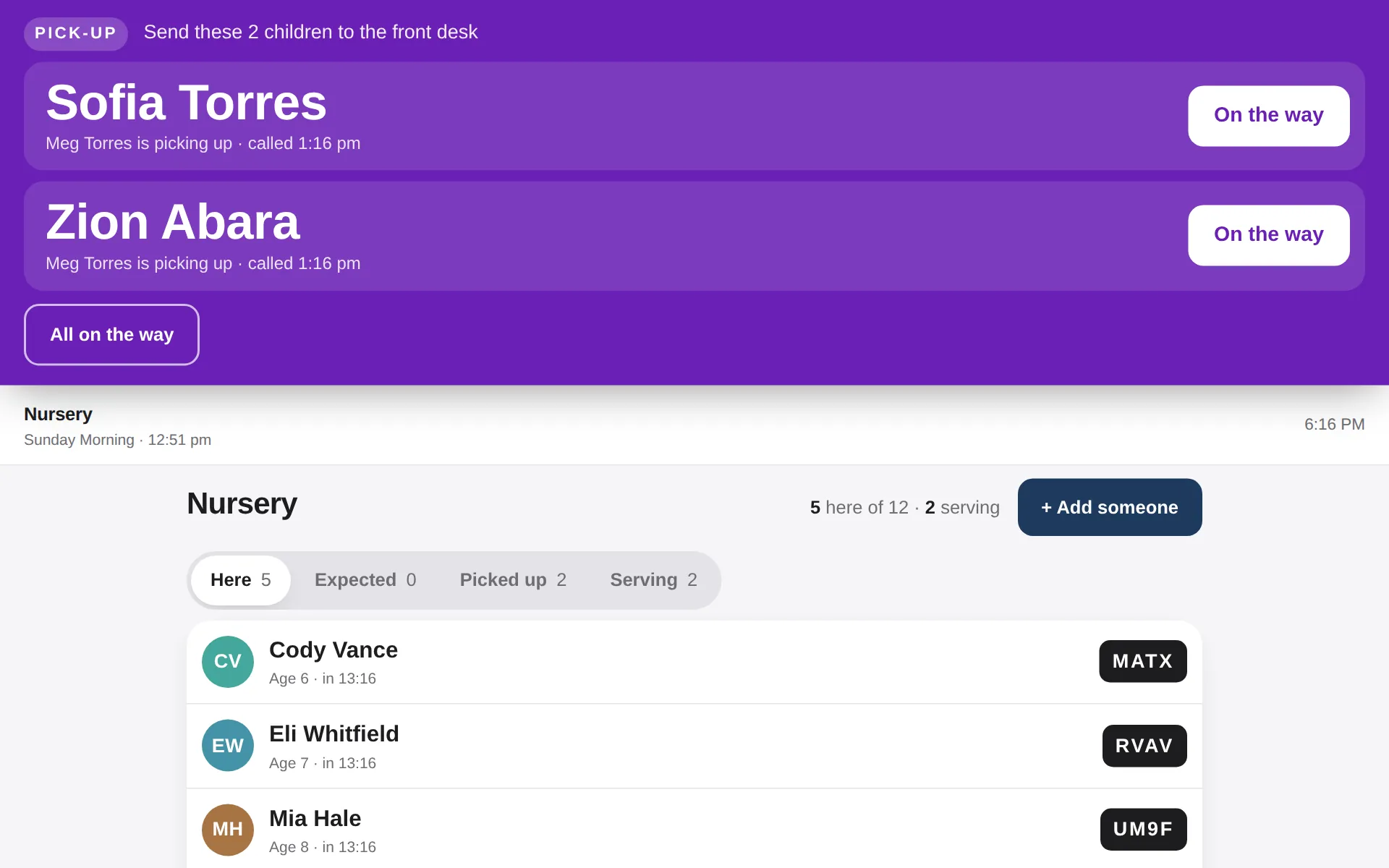
The room's list, on an iPad or a panel
Teachers see who is here, who is expected, who has gone, the allergies in words and who may pick each child up. They can text a parent from the room, and the parent's reply comes back to the room.
- On an iPad, a leader's phone, or a room panel facing the teachers
- Add a visitor in seconds
- Adult classes: one person marks the roll

Attendance kept for years
Every room and class, every week, against last year: averages, first-timers, regulars and the people who have not been back in a while. Download it as a spreadsheet whenever you need it.
- Auto check-out at the time you choose
- Special events in a minute — a Kids Fun Day, a youth night
- Bring your history in from Planning Center Check-Ins

Also in Worksite
One login for all of it.
Check-in is one part of Worksite. Everything else is included in the same flat price — $129 a month, set up for you.
Questions
Check-in: the straight answers.
Which label printers work?
Brother QL-820NWB and QL-810W with DK-2205 62 mm tape, and Zebra printers (ZD411, ZD421, GK420d and others) or any label printer with ZPL emulation — Citizen, Honeywell, TSC, Godex, or a Brother TD-4 in ZPL mode. They print over your church network through the Worksite Bridge.
Can we move over from Planning Center Check-Ins?
Yes. Worksite brings in your events, rooms and times, every past check-in, and children's medical notes. You can run both side by side while you try it, and turn it on in stages: adult classes first, then kids, then phones.
Does it work for adult classes too?
Yes. A class leader marks who is there from their own link — no account needed — and adds a visitor in seconds. Attendance for every class is kept for years.
Is it safe?
Pick-up codes are four characters with nothing to misread, one per family. A name on the not-allowed list stops a release unless staff enter the override PIN, and every override is recorded. A kiosk can only check in the family it just looked up, and rosters only show on screens set up for that room.
Ready when you are.
Sign up today and your Worksite is built, connected and handed over in about two weeks.
Questions? mail@churchworksite.com — a real person answers.